Prompt system
Source: canon/STYLEGUIDE.md
One master template, one fixed style block, one fixed closer, one fixed negative prompt. Never paraphrase the fixed blocks.
Master template
[STYLE BLOCK] [CHARACTER BLOCK] [POSE / SCENE] [LIGHT] [CLOSER]
Style block (fixed)
Soft painted children's picture-book illustration, gouache and watercolor on warm cream paper, rounded friendly shapes, thin irregular warm-brown contour line, visible paper grain, pink blush circles on the cheeks, soft cast shadow on the ground, warm glowing light, gentle and cozy.
Closer (fixed)
No text, no letters, no logo, no watermark, no captions. Cream paper background. Full character visible, nothing cropped.
Closer for scenes (fixed; use instead of the closer above for full scenes and spreads, because the plate closer demands a cream paper background)
No text, no letters, no logo, no watermark, no captions. Full scene visible, every character complete, nothing cropped. Full-bleed to all four edges, no border, no frame, no vignette, no cream margin.
Negative prompt (fixed, always sent where the tool has one)
vector, glossy, 3D render, photo, photorealistic, black outline, neon, glow filter, haze, text, letters, logo, watermark, extra fingers, fused fingers, extra limbs, scary, creepy, sad, white background, gray background, real person
Character blocks (paste after the style block)
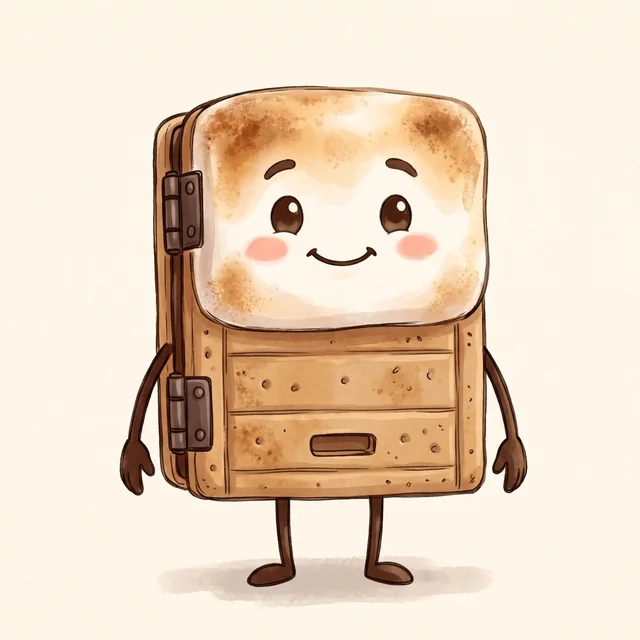
Smorty:
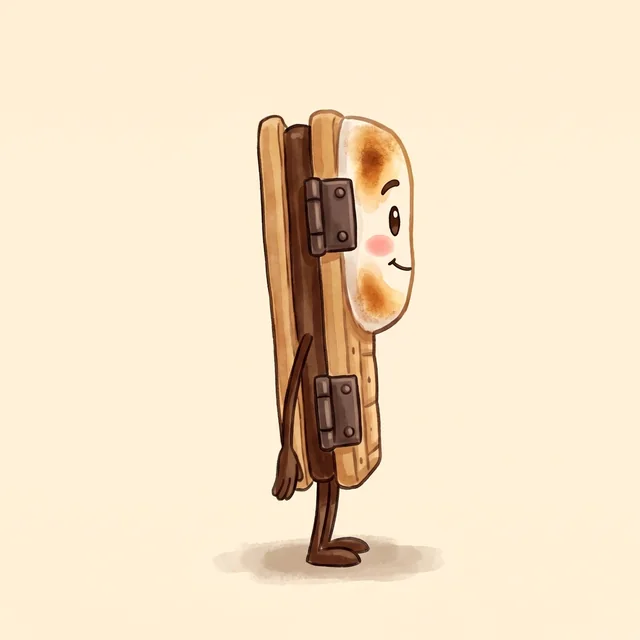
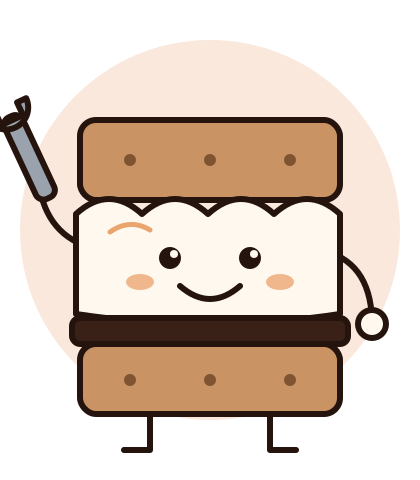
Smorty, a small walking character: a graham-cracker garage-door panel body with two stacked raised panels on the lower half (small dots on the upper one, a dark handle slot on the lower one), a toasted golden marshmallow as the top half with a happy face (two dark oval eyes, small brows, an open smile, pink cheeks), two dark brown hinges down the left edge, thin chocolate-brown stick arms with open hands and stick legs with round brown shoes.
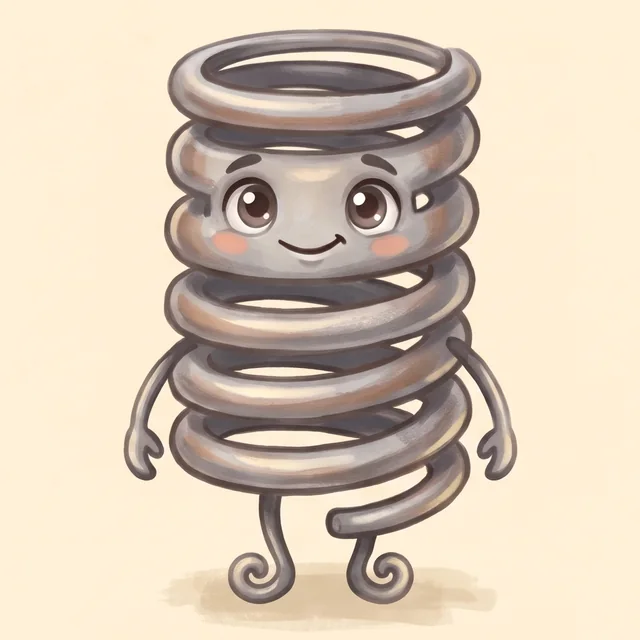
The Spring:
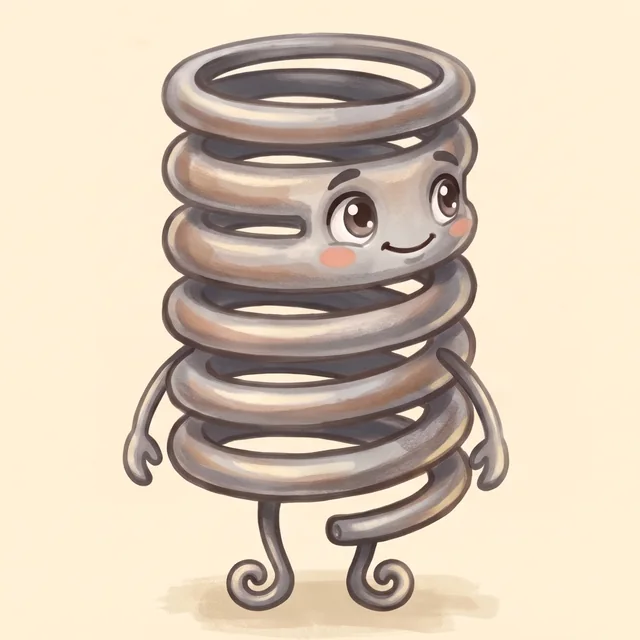
The Spring, a big curly gray steel coil spring character with six coils, a face on the second and third coils (large brown eyes with highlights, a small closed smile, pink cheeks), thin gray arms with two-prong hook hands, two legs ending in curled-spiral feet, the cut end of the wire sticking out at lower right.
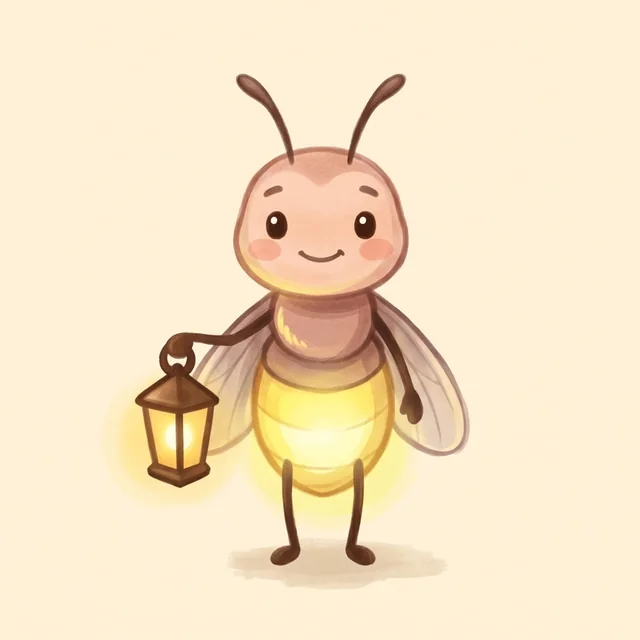
The lantern firefly:
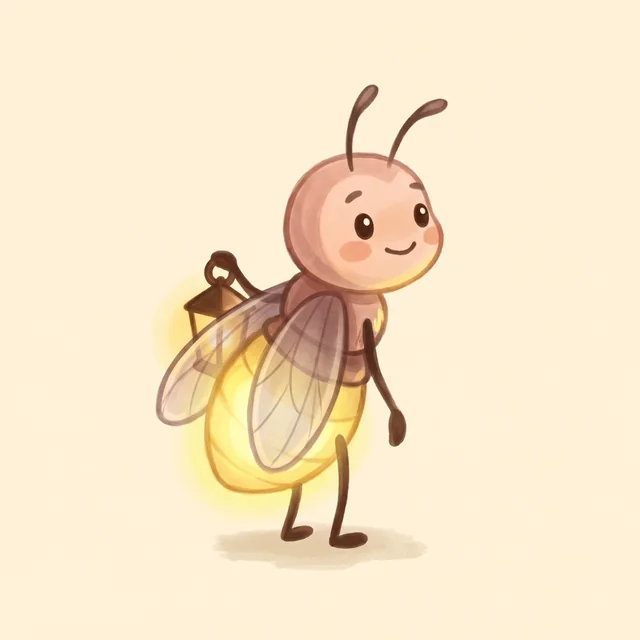
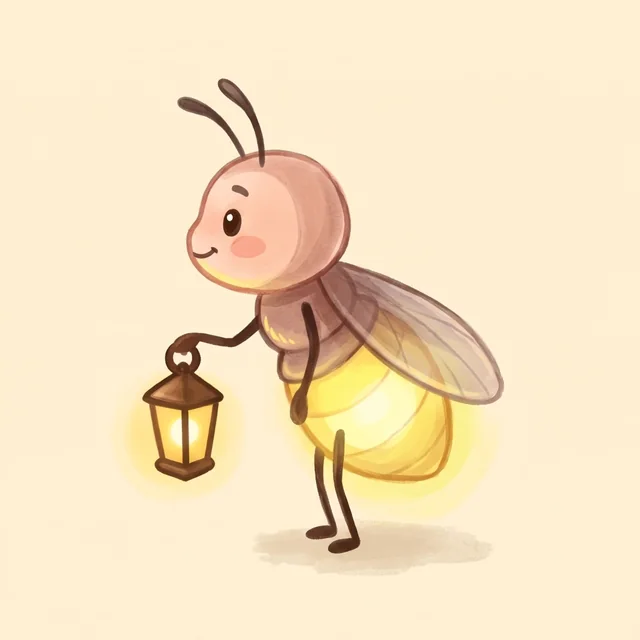
A small firefly character with a round pink-tan head, two curled antennae, small black dot eyes, a small smile, pink cheeks, a glowing pale-yellow abdomen, translucent gray wings, thin dark-brown limbs, carrying a small copper lantern with a warm glow, held low on the left side of the picture.
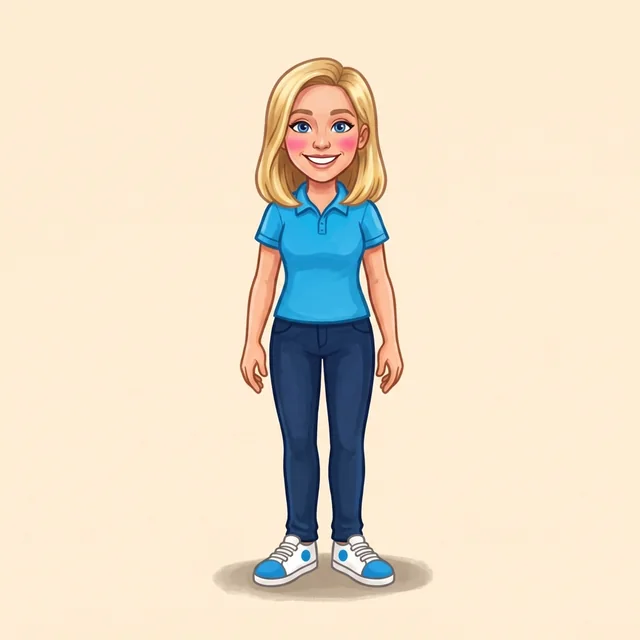
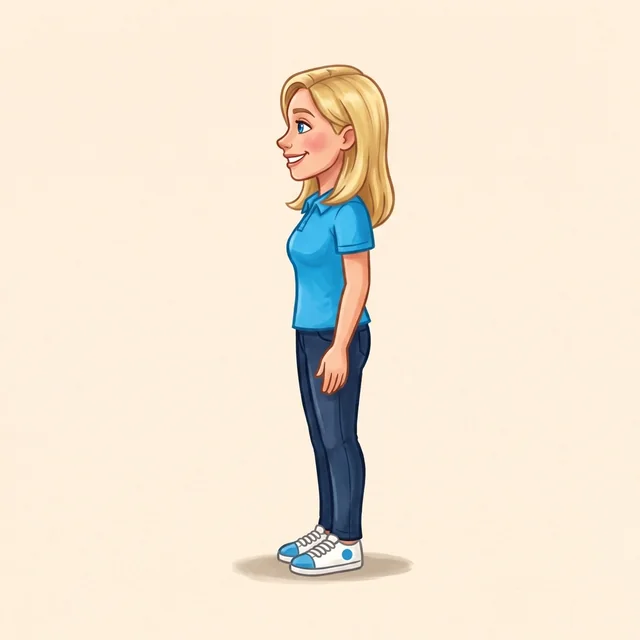
Carrie: repaint from her official art, never prompt from words alone: image 1 is canon/img/carrie-official-fullbody-1080.jpg; restyle to the painted look, plain blue polo, no emblem, same hair, face and outfit proportions.
Pose and scene snippets: bouncing, mid-air, curls swinging (Spring); hovering, head tilted, lantern held low (firefly; lantern raised is the NEW front pose, check it against the lock table); standing proudly, one hand raised, big smile (Smorty); crouched at a stone-ringed fire pit, the friends sitting well back (fire scenes).
Tool settings (browser only for Higgsfield and Leonardo): Higgsfield (higgsfield.ai, an unlimited model such as Nano Banana Pro or 2, Seedream, GPT Image 2) or Leonardo (app.leonardo.ai, Nano Banana Pro), always in the signed-in browser, never their API or MCP. OpenRouter image models through its API are also allowed. Aspect 1:1 for plates, 16:9 for spreads and heroes. Record each approved image's tool, model and job id in its LOCK.md. Never upscale.
The set: the garage at night (set lock)
Every spread shares one set unless the story moves: a suburban driveway at night with the garage door plain and painted in the background (never Smorty himself), warm light spilling from inside the garage, a stone-ringed fire pit on the driveway, string lights on the eaves, a deep blue-violet sky full of stars, and a soft amber glow from the fire on everything near it. Spreads from other places (world tour) get their own set lock in this guide before the first spread is made.
Making a spread (paste-ready; found by a fresh-session test, 2026-11-04)
A fresh session built one spread from these docs alone. These blocks close the gaps it hit.
Order: [STYLE BLOCK] [CHARACTER BLOCKS] [SET BLOCK] [SCALE] [POSE / SCENE] [LIGHT] [CLOSER FOR SCENES] [REFERENCE LINE], then the negative prompt.
Set block (fixed, night with a fire): Set: a suburban driveway at night, the garage door plain and painted in the background (never Smorty himself), warm light spilling from inside the garage, a stone-ringed fire pit on the driveway, string lights on the eaves, a deep blue-violet sky full of stars, a soft amber glow from the fire on everything near it.
Set block, no fire (fixed): the same line without the fire pit and its glow, plus No fire. The key light is then the garage opening. Fire scenes keep the fire as the key light; a spread never has both as equal keys.
Scale block (fixed): Scale: Smorty is small; the Spring is noticeably taller than Smorty, about one and a half times his height; Carrie, when present, is about one and a third times the Spring's height (the Spring comes up to her chin). Drop the Carrie clause when she is not in the picture.
Light block (fixed): Light: one warm key (#F6D76B to #F2A866) from the fire, or from the garage opening when there is no fire, and a faint warm rim light on the lit edges of the characters.
Reference line (fixed; number the images to match what you upload): Image N is <character>, <which plate>. once per upload, then Copy the designs exactly. Do not mirror them. For Smorty and the Spring: Image 1 is Smorty (full-source crop), image 2 is the Spring (front plate), image 3 is the Spring (three-quarter plate). Add the firefly and Carrie as the next numbers when they are in the picture. Order the uploads: one image per character first (Smorty, the Spring, the firefly, Carrie), then extra angle plates of the same character. Each character's reference is the crop of its full source named in its LOCK.md (both Smorty's and the Spring's crops are soft or glow-stained); use the web-sized plates in the media folder's web/img/ only until the canon angle plates exist.
Poses that are allowed: Smorty sits with his stick legs out in front and his shoes together, or stands; the Spring sits on her bottom coil with her spiral feet out in front. Snippet: sitting side by side on the driveway, seen from a low three-quarter angle slightly from behind, heads tilted up, faces still visible in three-quarter view. Keep Smorty's hinge edge on his left and the Spring's cut end at lower right, and say in the prompt that the cut end is visible (the cut end of the wire clearly visible at lower right, curling out past the bottom coil). Smorty looking up uses the front plate: tilt the head, do not turn the body, so the hinges stay on his left.
Stars and sky: painted, not photographed. Use stars painted as small soft gouache dabs and a few four-point sparkles, deep blue-violet sky with visible paper grain, no photographic star field. A night sky is the one place the cream paper shows only as grain, not as a border.
Must-show features (add to every spread prompt that has the character): Smorty keeps his open smile and small brows, happy even when he looks up. The Spring's hands are two-prong hooks, never blobs or fists, and her cut end shows at lower right in every pose; check both before sending a spread to the designer. Stars are dabs and sparkles of gouache only: no Milky Way haze, no photographic star field. Two things the model gets wrong without a cue: the Spring's top coil is an open ring, never a solid drum (say the top coil an open ring, you can see through it), and a model told to include cream paper will paint a cream vignette border around a night scene, so use the scene closer (full-bleed to all four edges, no border, no vignette) and leave cream paper out of the prompt for spreads; the paper grain comes from the grain line below.
Paper grain in a full-bleed night scene: add visible paper grain and brush texture over the whole picture, sky and driveway included, no smooth digital gradients. Grain is texture across the image, never a cream border.
Framing: the two friends fill about the lower half of the frame; do not leave half the picture empty sky and driveway unless the story needs it.
Negative prompt on a tool with no negative field (OpenRouter chat image models): append it to the prompt as Avoid all of these: <the fixed negative prompt>. Where the set is a night scene, white background and gray background still apply (they mean empty backdrops, not the sky); the warm window and garage glow are warm glowing light from the style block, not the glow filter it forbids.
Size (measured 2026-11-04): spreads are 2560 x 1440 or larger and are never upscaled. On OpenRouter, google/gemini-3-pro-image-preview with image_config {"aspect_ratio": "16:9", "image_size": "2K"} returns 2752 x 1536 (about $0.14); without image_size it returns 1376 x 768, which is a draft only. 4K returns 5504 x 3072 (about $0.25) and is rarely worth it. The reply is JPEG bytes: save them as .jpg, or convert to PNG before saving as .png.
Recording a spread: save as book<N>/spread-<NN>.png in the media folder, and keep the provenance in a sidecar book<N>/spread-<NN>.prompt.txt: first lines tool:, model:, job id: (or the OpenRouter generation id), then the full prompt text. media/MANIFEST.json is generated by scripts/media_manifest.py (path, size, sha256 only), so never hand-add provenance to it; regenerate it and commit it as docs/MEDIA.md says. The spread's text and art note come from book<N>.md; a new spread starts by writing both there.
Matching the approved look
Start from the approved reference as image 1 (the character crop in the media folder). Name the character block, not a paraphrase. If the render drifts, fix it by editing the approved image, not by re-prompting from scratch.
Derive, don't regenerate
Make a new angle or expression by editing the approved image (image 1 = the approved crop, image 2 = the LOCK table's reference). Never mirror a head or a body: it flips Smorty's hinge side and the Spring's cut end.
Consistency workflow
- Read the character's LOCK.md and the approved crop.
- Generate in the browser from the character block and the locked reference.
- Check at 100% against the do/don't table, hands and hinges first.
- Have the designer score it (8/10 or better on design, message and craft).
- Add the file to the media folder at its repo path and to
media/MANIFEST.json.
Not in this guide yet
No prompts.json, no expression variants, no gallery of on-model images with their exact prompts, and no recorded original prompts for the approved references (the Higgsfield job ids are in the LOCK files; the firefly's is not recorded). Add these as pieces are approved.
Back to contents